Taming the Wild West: Best Practices for the Power Platform Default Environment
The Power Platform Default environment is the “kitchen drawer” of your Microsoft 365 tenant. Every user with a license is automatically granted the Environment Maker role. They cannot be removed, and they land there by default whenever they open Power Apps or Power Automate. Without guardrails, this environment quickly morphs into an unmanaged wasteland of […]
Read More
Document Sensitivity Label
Finding the Microsoft Office sensitivity label disabled or grayed out for certain documents usually comes down to configuration, file format, or licensing conflicts. If you can’t apply labels, check that you are using a Microsoft 365 subscription, the file isn’t in compatibility mode, and that SharePoint integration is enabled. Why Are Your Sensitivity Labels […]
Read MoreGuide to Power Apps Code Apps: Create, Benefits, and Limitations
Power Apps Code Apps bridge the gap between low-code ease and professional pro-code web development. They allow professional developers to build custom React-based Single Page Applications (SPAs) inside their own Integrated Development Environment (IDE) like Visual Studio Code, while completely skipping the traditional visual drag-and-drop Power Apps Studio canvas. Instead of wrestling with Power Fx […]
Read More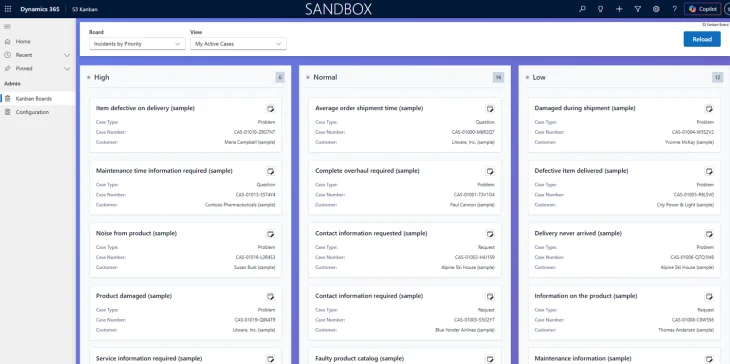
S3 Kanban Dashboard
S3 Kanban board is an easy to use and customisable Kanban board to visualize data from your Dynamics 365 or Dataverse tables. You can download the tool from Microsoft App Source. Configuration Please download the configuration guide from here. If you have any questions or difficulties with installing or configuring the tool, please reach out […]
Read More